Beauty Render
Progress & Concept | Original Concept Art: https://www.artstation.com/artwork/ekVy3

Sculpt & Retopo
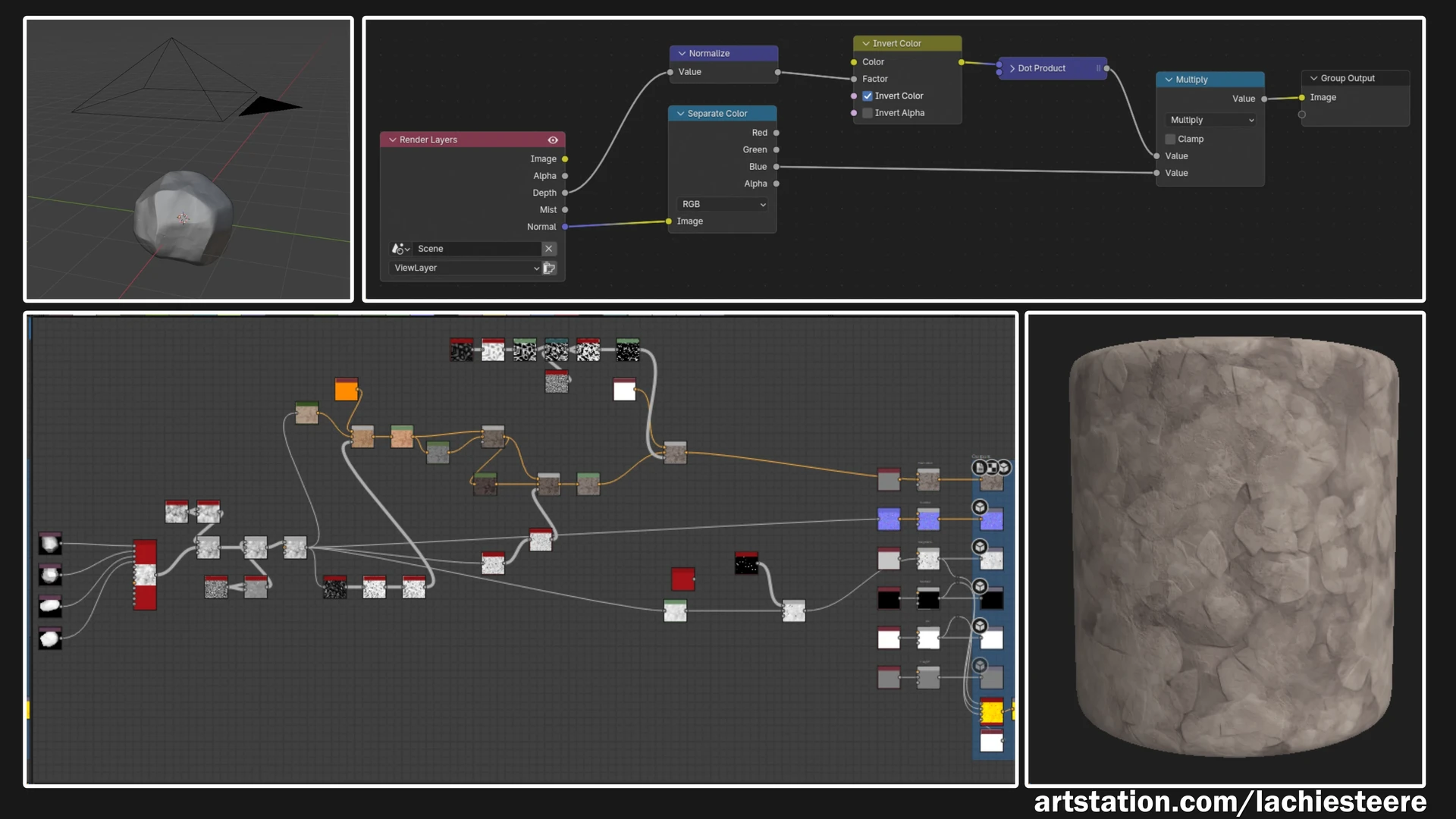
Rock material made through layering several baked masks along with altering some existing smart materials and creating some new layers
Landscape Tileable made by rendering height layers from the high poly rocks and smashing them together in substance designer
In this alternative scene layout, the rock material was applied with tri-planar mapping to create the backdrop
The runes use a couple basic shader tricks to create the burn in and out effect, the opacity mask is just the default engine content grid texture with its UVs adjusted- no need to waste memory on a new texture :)

Rune base created in affinity designer and final touches added in substance designer
The fish use a simple blueprint which set's the mesh's position across a spline over time
The foliage shader uses the same "faces to billboards" setup I have used across several projects now

The textures were created and combined in substance designer. they were then mapped onto some simple cards in maya, adding some extra topology for in engine deformation
The water shader uses single layer water along with some scrolling normal maps for the surface and distance fields for the glowing waves
The bamboo uses a world space based gradient overlay I have setup in my master material
The wind uses traditional wind card meshes with scrolling dots going across the material.
The final project is not a full scene but rather just a small composition of assets, however the kit could be used to create larger spaces.
This one has been sitting half finished on my Hard drive a little too long- This magic pond scene is originally inspired by a piece of concept art by Sephiroth Art (Thankyou for your permission to include your concept in my post!).
The scene started with the creation of the rocks in Zbrush, as I had just purchased a new drawing tablet and wanted to get the settings dialled in. After looking at the concept and the finished rock assets I decided I may as well jump into unreal and throw a water material together to match, and then the scene NEEDED floating foliage, and the rest just spiralled from there!
This scene became a convenient place to showcase various UE5 environment art techniques to students until I eventually moved on to a new project and left this one on the back burner. Today I decided to take a little time to polish it up and crank out some decent renders to share on art station- and here we are!
All modelling for this scene was done in Autodesk Maya, while Blender was used for rendering out some depth passes for a material workflow.
No generative AI was used in the creation of this project.